Soft Skills For Technical Artists
A large part of technical art is understanding other people's work. Clear communication and useful feedback help you build tools that fit the task and are easier to support.
2.1Why Soft Skills Matter
Tools, shaders, and pipelines need to serve a visual or production goal. That often means discussing both how something should look and the time, memory, or workflow constraints around it.
Ask what each person is trying to achieve and what is getting in the way. That context will help you choose a solution they can actually use.
Listening and explaining your decisions make technical work easier to adopt. Test tools with their users, write down the steps people need, and leave room for feedback after release.
2.2Communication And Translation
The core communication skill is translation in both directions:
- When an artist says 'it looks flat', ask for a reference and compare the result together. Lighting, normals, materials, or composition could be involved; don't choose a fix before you understand the difference they're seeing.
- When an engineer identifies a draw-call bottleneck, explain the content changes that might help and test them together. Material consolidation or instancing may be useful, depending on the scene.
Beyond translation:
- Documentation: write down recurring answers and keep the examples close to the workflow they describe.
- Active listening - repeat back what you heard, ask the obvious questions, watch how people actually work, and look for the real need under the request.
- Feedback - be specific, talk about the work, and do something visible with the feedback you get.
- Meetings - bring an agenda, time-box the wandering, end with owners, and follow up while everyone still remembers what happened.
2.3Time Management And Prioritisation
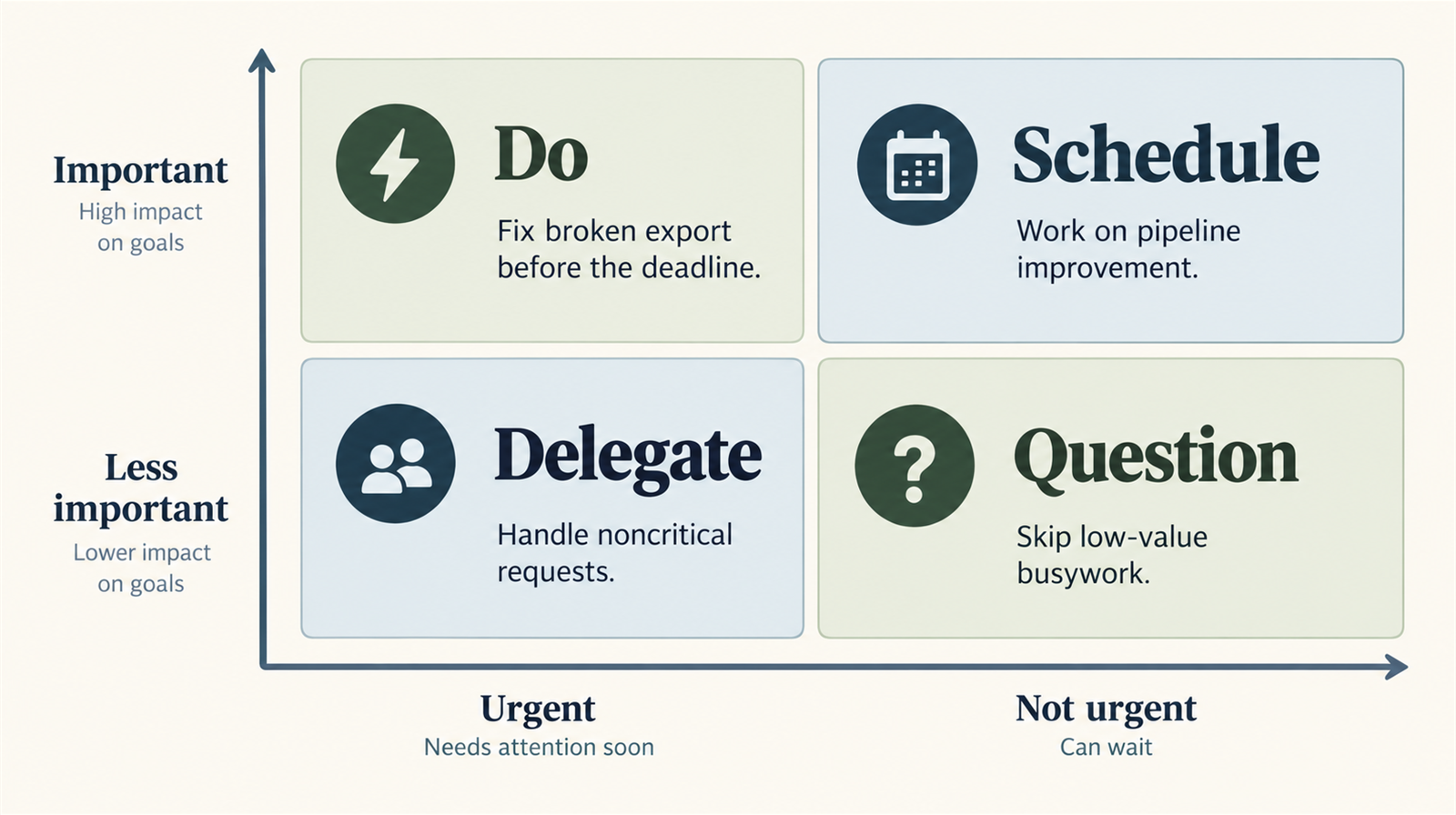
Support requests and broken builds need attention, but tools, maintenance, and documentation need planned time too. Make both kinds of work visible when agreeing priorities.
A lot of your best work is important before it becomes urgent. The trick is keeping urgent requests from eating every useful hour. A few habits help:
- Time blocking - reserve 2-3 hour blocks for deep work.
- Office hours - a predictable window for support questions.
- Quick requests: agree a way to handle them without interrupting every block of focused work.
- Automation: compare repeated effort with the cost of building and supporting a script.
- Documentation: answer recurring questions in a shared place and update the page when the workflow changes.
Switching tasks has a cost beyond the interruption itself. Batch related work where you can and leave a short note about your next step before switching. Discuss focus time with the people who rely on your support.
2.4Career Development And Leadership
As TAs get more senior, the job becomes less about doing every task yourself and more about making the whole team sharper. The path usually splits: the Individual Contributor track towards Principal TA, and the Management track towards Lead or Director.
Key leadership skills:
- Running useful one-on-ones and setting goals people can actually act on.
- Giving performance feedback early enough that review season has no ambushes.
- Mentoring junior TAs with pairing, stretch tasks, and reviews that teach the idea, not just the fix.
- Emotional intelligence - knowing your triggers, pausing before you react, and reading the room before you land a point.
Whichever career path you choose, communication and collaboration are part of delivering the technical work.