
Intro To Python
Start from scratch: variables, data types, control flow, functions, and file I/O - enough to write your first pipeline scripts.
On this page
What Is Python And Why Do TAs Use It?Installing PythonVariables And Data TypesControl FlowFunctionsWorking With FilesPutting It All TogetherNext Steps1.1What Is Python And Why Do TAs Use It?
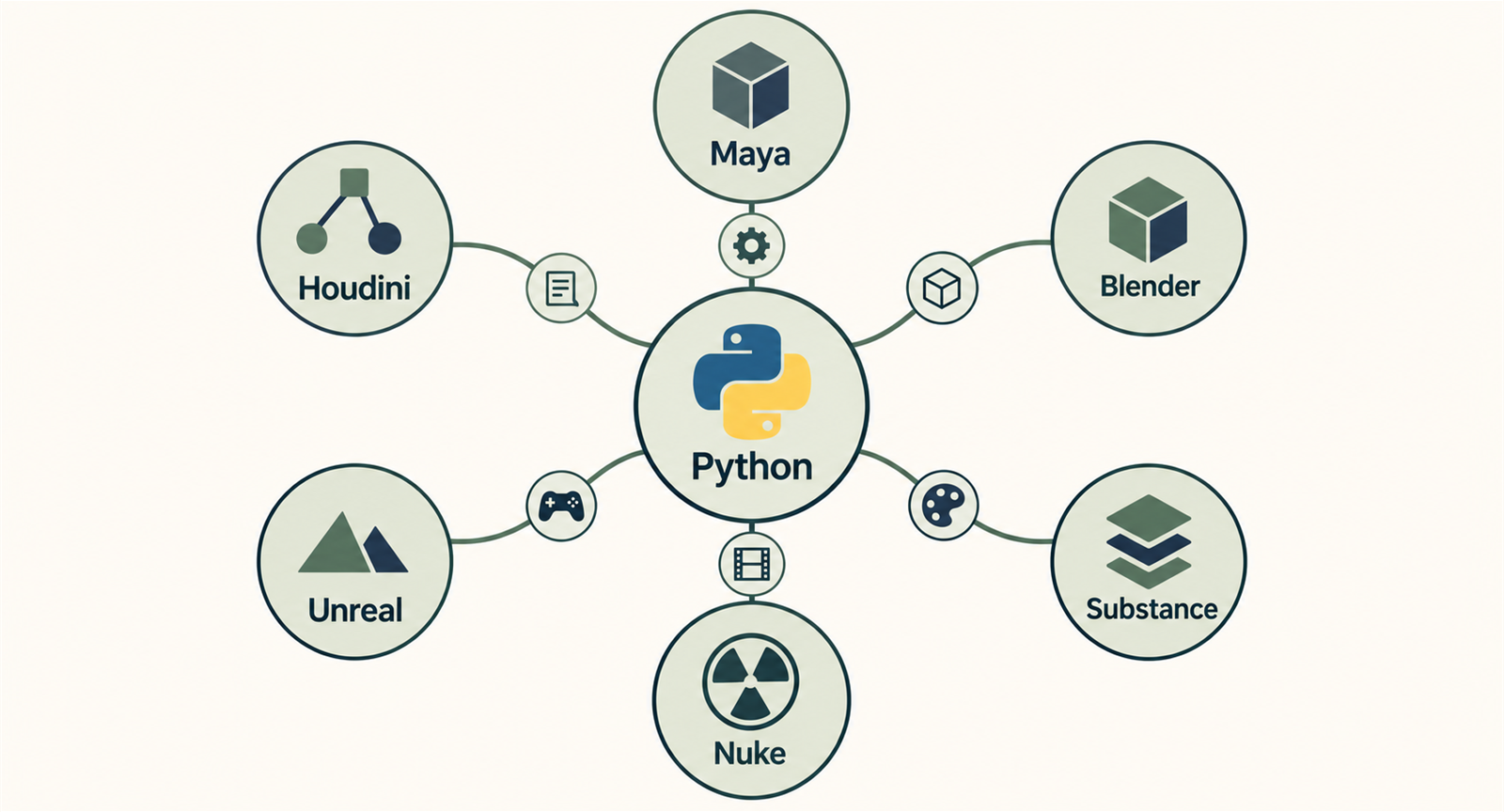
Python is the scripting language that keeps showing up in art tools. For TAs, it's usually the first language to learn because it's already sitting inside most VFX, games, and animation software.
Maya ships with Python. Houdini ships with Python. Blender, Nuke, Substance Designer, Unreal Engine - all of them expose Python APIs. The Python basics transfer between these applications, although each has its own API and constraints.
C++ matters for engine-level work, but Python is often convenient for trying and revising pipeline scripts. MEL is Maya-only. Python works across several DCCs, so it’s a useful first choice for pipeline work.
1.2Installing Python
Most DCC applications bundle their own Python interpreter, but for standalone scripting you'll want Python installed on your system.
Windows
- Download the latest Python 3.x installer from python.org
- Check "Add Python to PATH" during installation - this is critical
- Open a terminal and verify:
# In your terminal / command prompt:
# python --version
# Python 3.12.4

# Launch the interactive interpreter:
# python
print("Hello, Technical Artist!")
# Output: Hello, Technical Artist!
Macos / Linux
macOS and most Linux distributions include Python, but it may be an older version. Use python3 --version to check. On macOS, install the latest version via Homebrew: brew install python.
Python 2 reached end-of-life in January 2020. Always use Python 3. Some older Maya versions still defaulted to Python 2, but Maya 2022+ ships with Python 3. Make sure your studio has migrated.
1.3Variables And Data Types
A variable is just a name stuck on a value. Python is dynamically typed, so you don't declare types - assign something and Python figures it out.
# Strings - text data (asset names, file paths, etc.)
asset_name = "hero_sword"
file_path = "/assets/weapons/hero_sword.fbx"

# Integers - whole numbers (frame counts, polygon counts)
frame_count = 120
poly_count = 15432

# Floats - decimal numbers (positions, rotations, scale)
position_x = 3.14
rotation_y = 90.0

# Booleans - True or False (visibility, toggle states)
is_visible = True
needs_export = False

# None - represents "no value" (unset references)
selected_object = None

# Check types with type()
print(type(asset_name)) # <class 'str'>
print(type(frame_count)) # <class 'int'>
print(type(position_x)) # <class 'float'>
print(type(is_visible)) # <class 'bool'>
String Operations
String manipulation is something you'll do constantly as a TA - building file paths, parsing asset names, formatting log messages.
# f-strings (Python 3.6+) - the best way to format strings
asset = "hero_sword"
version = 3
path = f"/assets/weapons/{asset}_v{version:03d}.fbx"
print(path) # /assets/weapons/hero_sword_v003.fbx

# Common string methods
filename = "Hero_Sword_Final_v02.fbx"
print(filename.lower()) # hero_sword_final_v02.fbx
print(filename.replace("_", "-")) # Hero-Sword-Final-v02.fbx
print(filename.endswith(".fbx")) # True
print(filename.split("_")) # ['Hero', 'Sword', 'Final', 'v02.fbx']

# Strip whitespace (common when reading files)
raw_line = " some data from a file \n"
clean = raw_line.strip()
print(repr(clean)) # 'some data from a file'
Numeric Operations
# Basic math
total_frames = 24 * 10 # 240
half_width = 1920 / 2 # 960.0 (division always returns float)
integer_div = 1920 // 2 # 960 (floor division returns int)
remainder = 10 % 3 # 1 (modulo - useful for every-nth-frame)

# Clamping a value between min and max
value = 1.5
clamped = max(0.0, min(1.0, value))
print(clamped) # 1.0

# Converting between types
poly_string = "15432"
poly_int = int(poly_string)
print(poly_int + 100) # 15532
1.4Control Flow
Control flow lets your code make decisions and repeat actions. This is where scripts start becoming genuinely useful.
If / Elif / Else
poly_count = 45000

# Check asset quality tier based on polycount
if poly_count > 100000:
 tier = "hero"
 print(f"Hero asset: {poly_count:,} polys - full LOD chain needed")
elif poly_count > 30000:
 tier = "mid"
 print(f"Mid-tier asset: {poly_count:,} polys - 2 LODs recommended")
elif poly_count > 5000:
 tier = "background"
 print(f"Background asset: {poly_count:,} polys - 1 LOD sufficient")
else:
 tier = "simple"
 print(f"Simple asset: {poly_count:,} polys - no LODs needed")

# Output: Mid-tier asset: 45,000 polys - 2 LODs recommended
For Loops
# Iterate over a list of assets
assets = ["hero_sword", "shield_01", "potion_health", "armor_plate"]

for asset in assets:
 export_path = f"/export/{asset}.fbx"
 print(f"Exporting: {export_path}")

# Using enumerate() to get the index too
for i, asset in enumerate(assets):
 print(f" [{i + 1}/{len(assets)}] Processing {asset}...")

# Range-based loops (useful for frame ranges)
start_frame = 1
end_frame = 10
for frame in range(start_frame, end_frame + 1):
 print(f"Rendering frame {frame:04d}")

# Looping with a step (every 10th frame for a preview)
for frame in range(0, 240, 10):
 print(f"Preview frame: {frame}")
While Loops
# Retry a flaky network operation with a max attempt limit
import time

max_retries = 3
attempt = 0
success = False

while attempt < max_retries and not success:
 attempt += 1
 print(f"Attempt {attempt}/{max_retries}: Uploading asset...")
 # Simulate: in real code, this would be your upload logic
 if attempt == 3:
 success = True
 print("Upload complete!")
 else:
 print("Failed. Retrying in 2 seconds...")
time.sleep(2)Use break to exit a loop early (e.g., stop searching once you've found what you need). Use continue to skip the rest of the current iteration and move to the next item (e.g., skip files that don't match a pattern).
1.5Functions
Functions let you organise repeated operations into named blocks. Keep each one focused so you can test it separately.
def validate_asset_name(name):
 """Check if an asset name follows our naming convention.

 Convention: lowercase, underscores only, no spaces,
 must start with a letter.
 """
 if not name:
 return False, "Name cannot be empty"

 if not name[0].isalpha():
 return False, "Name must start with a letter"

 if " " in name:
 return False, "Name cannot contain spaces"

 if name != name.lower():
 return False, "Name must be lowercase"

 if not all(c.isalnum() or c == "_" for c in name):
 return False, "Name can only contain letters, numbers, and underscores"

 return True, "Valid"

# Using the function
test_names = ["hero_sword", "Hero_Sword", "02_weapon", "my asset", "shield_01"]

for name in test_names:
 is_valid, message = validate_asset_name(name)
 status = "" if is_valid else ""
 print(f" {status} '{name}' - {message}")
Default Arguments And Keyword Arguments
def build_export_path(asset_name, version=1, extension="fbx", root="/export"):
 """Build a standardized export file path.

 Args:
 asset_name: Name of the asset (e.g., "hero_sword")
 version: Version number (default: 1)
 extension: File extension without dot (default: "fbx")
 root: Root export directory (default: "/export")

 Returns:
 Full export path as a string.
 """
 version_str = f"v{version:03d}"
 return f"{root}/{asset_name}_{version_str}.{extension}"

# All of these work:
print(build_export_path("hero_sword"))
# /export/hero_sword_v001.fbx

print(build_export_path("hero_sword", version=3))
# /export/hero_sword_v003.fbx

print(build_export_path("hero_sword", version=2, extension="obj"))
# /export/hero_sword_v002.obj

print(build_export_path("hero_sword", root="/game/meshes", version=5))
# /game/meshes/hero_sword_v005.fbxAlways add docstrings to your functions. Future-you (and your teammates) will thank you. In DCC tools, docstrings even show up in the script editor's auto-complete!
1.6Working With Files
Reading and writing files comes up often - configs in, logs out, export manifests everywhere in between.
Reading Files
# The 'with' statement ensures the file is properly closed
# even if an error occurs - always use it.

# Read an entire file at once
with open("asset_list.txt", "r") as f:
 content = f.read()
 print(content)

# Read line by line (memory-efficient for large files)
with open("asset_list.txt", "r") as f:
 for line_number, line in enumerate(f, start=1):
 asset = line.strip()
 if asset: # skip empty lines
 print(f" Line {line_number}: {asset}")

# Read all lines into a list
with open("asset_list.txt", "r") as f:
 assets = [line.strip() for line in f if line.strip()]
 print(f"Found {len(assets)} assets")
Writing Files
import datetime

def write_export_log(exported_assets, log_path="export_log.txt"):
 """Write a timestamped export log."""
 timestamp = datetime.datetime.now().strftime("%Y-%m-%d %H:%M:%S")

 with open(log_path, "w") as f:
 f.write(f"Export Log - {timestamp}\n")
 f.write("=" * 50 + "\n\n")

 for i, asset in enumerate(exported_assets, start=1):
 f.write(f"{i:3d}. {asset}\n")

 f.write(f"\nTotal: {len(exported_assets)} assets exported.\n")

 print(f"Log written to {log_path}")

# Usage
assets = ["hero_sword_v003.fbx", "shield_01_v001.fbx", "potion_health_v002.fbx"]
write_export_log(assets)
Appending To Files
import datetime

def log_message(message, log_path="pipeline.log"):
 """Append a timestamped message to a log file."""
 timestamp = datetime.datetime.now().strftime("%Y-%m-%d %H:%M:%S")
 with open(log_path, "a") as f: # "a" = append mode
 f.write(f"[{timestamp}] {message}\n")

log_message("Export started for hero_sword")
log_message("Validation passed: 15,432 polys")
log_message("Export complete: /export/hero_sword_v003.fbx")Always specify encoding when working with text files that might contain non-ASCII characters: open("file.txt", "r", encoding="utf-8"). This is especially important when reading files from artists who use non-English characters in asset names or comments.
1.7Putting It All Together
Let's combine everything into a small but complete script - a tool that scans a directory for texture files and generates a report.
import os
import datetime

def scan_textures(directory, extensions=None):
 """Scan a directory for texture files and return a report.

 Args:
 directory: Path to scan.
 extensions: List of valid extensions (default: common texture formats).

 Returns:
 A list of dicts with file info.
 """
 if extensions is None:
 extensions = [".png", ".jpg", ".jpeg", ".tga", ".tiff", ".exr", ".psd"]

 textures = []

 for filename in os.listdir(directory):
 filepath = os.path.join(directory, filename)

 # Skip directories
 if not os.path.isfile(filepath):
 continue

 # Check extension
 _, ext = os.path.splitext(filename)
 if ext.lower() not in extensions:
 continue

 # Gather info
 size_bytes = os.path.getsize(filepath)
 size_mb = size_bytes / (1024 * 1024)

 textures.append({
 "name": filename,
 "path": filepath,
 "extension": ext.lower(),
 "size_mb": round(size_mb, 2),
 })

 return textures

def generate_report(textures, output_path="texture_report.txt"):
 """Write a texture scan report to a file."""
 timestamp = datetime.datetime.now().strftime("%Y-%m-%d %H:%M:%S")

 with open(output_path, "w", encoding="utf-8") as f:
 f.write(f"Texture Scan Report - {timestamp}\n")
 f.write("=" * 60 + "\n\n")

 if not textures:
 f.write("No textures found.\n")
 return

 # Sort by size (largest first)
 textures.sort(key=lambda t: t["size_mb"], reverse=True)

 total_size = 0
 for i, tex in enumerate(textures, start=1):
 f.write(f"{i:3d}. {tex['name']:<40s} {tex['size_mb']:>8.2f} MB\n")
 total_size += tex["size_mb"]

 f.write(f"\n{'Total':<45s} {total_size:>8.2f} MB\n")
 f.write(f"Files found: {len(textures)}\n")

 print(f"Report saved to {output_path}")

# Run the tool
if __name__ == "__main__":
 texture_dir = "./textures"
 if os.path.isdir(texture_dir):
 results = scan_textures(texture_dir)
 generate_report(results)
 else:
print(f"Directory not found: {texture_dir}")1.8Next Steps
You’ve seen the basics in a small file-reporting script. Try changing its inputs, then continue with one of these topics:
- Python for TAs - Apply these basics to real tech art workflows: batch processing, JSON configs, CLI tools, and building UIs.
- Data Structures - Learn lists, dictionaries, sets, and dataclasses for organising asset data.
- Maya Scripting - Ready to script inside Maya? Start with PyMEL or the Python API.
Don't just read - type out every code example and run it yourself. Modify the examples: change the asset names, add new validation rules, write to different file formats. The fastest way to learn Python is by writing Python.